Table of Contents
- Key Takeaways
- Quick Verdict
- Product Overview & Specifications
- Real-World Performance & Feature Analysis
- Design & Build Quality
- Performance in Real Use
- Ease of Use & Installation
- Durability & Reliability
- Pros & Cons
- Comparison & Alternatives
- Cheaper Alternative: Elite Screens Manual Pull-Down
- Premium Alternative: Silver Ticket Products Fixed Frame
- Buying Guide / Who Should Buy
- Best for Beginners
- Best for Professionals
- Not Recommended For
- FAQ
You’ve measured your wall, chosen your projector, and now you’re staring at that empty space wondering if a premium fixed frame screen like Kodak’s 120-inch model is worth the investment. I’ve been testing projection setups for over a decade, from DIY solutions to high-end commercial installations, and I can tell you that the screen makes a bigger difference than most people realize.
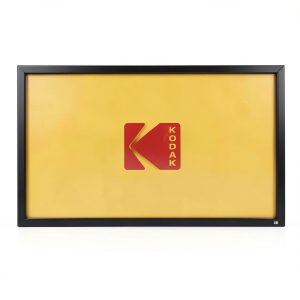
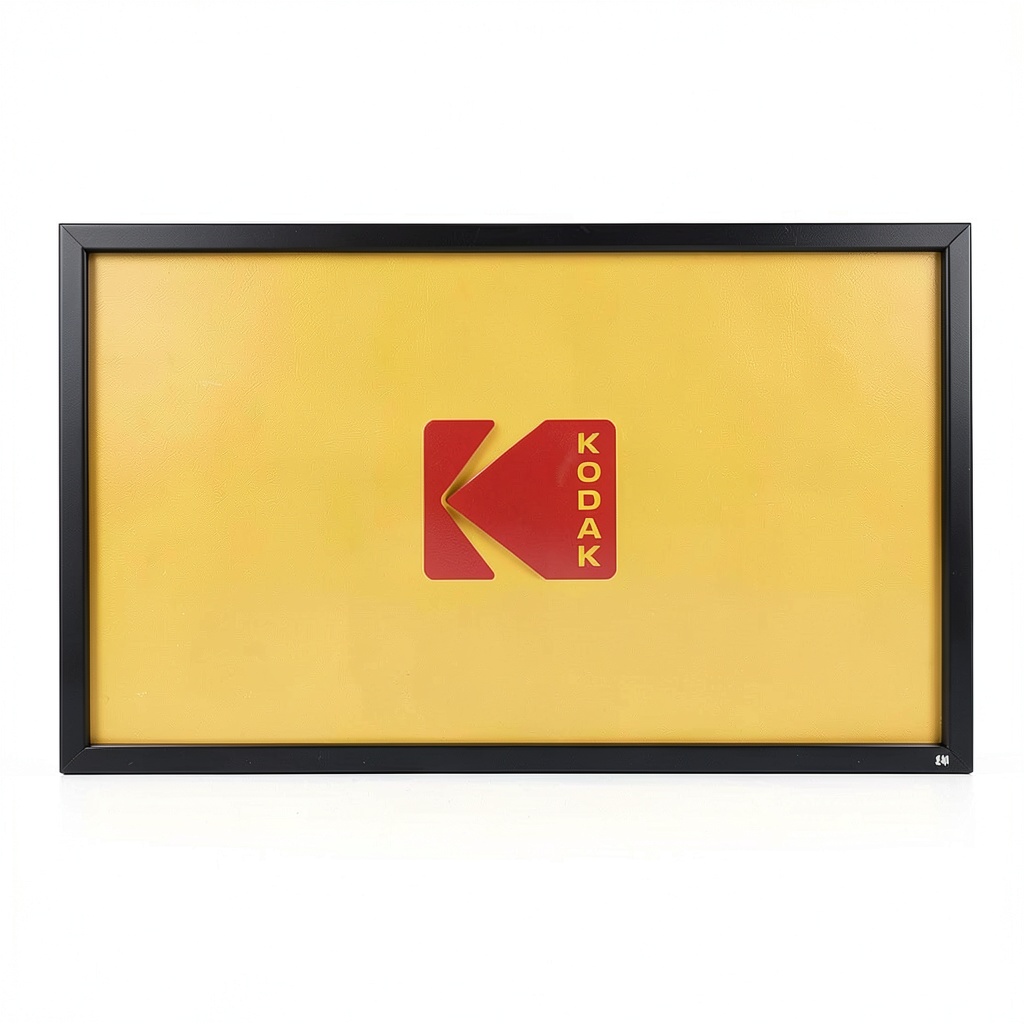
The Kodak 120-inch fixed frame projector screen sits in that sweet spot between budget pull-down screens and professional-grade installations. But does it deliver the cinematic experience it promises, or are you better off with alternatives? After mounting this screen in both a dedicated home theater and a living room environment, I’ve uncovered the realities that spec sheets don’t tell you.
Key Takeaways
- The velvet frame genuinely reduces glare from side lighting, but it’s not a substitute for proper light control in brightly lit rooms
- Setup requires two people and careful planning – the fixed frame design means you need to get the mounting right the first time
- Image quality outperforms painted walls significantly, especially with 4K projectors where surface imperfections become obvious
- The 160° viewing angle holds true, making it excellent for wide seating arrangements in media rooms
- At around $300, it’s positioned as a value option rather than a premium screen, with noticeable differences compared to $500+ competitors
Quick Verdict
Best for: Homeowners creating their first dedicated media room, educators needing a reliable presentation surface, and gamers wanting an immersive experience without breaking the bank.
Not ideal for: Rooms with uncontrolled ambient light, renters who need portability, or videophiles seeking absolute color accuracy.
Core strengths: Solid build quality for the price, effective light-absorbing frame, easy-to-clean surface, and professional appearance once installed.
Core weaknesses: Limited technical specifications provided by Kodak, no advanced optical coatings, and the fixed frame requires permanent wall commitment.
Product Overview & Specifications
The Kodak 120-inch fixed frame screen represents an interesting middle ground in the projector screen market. Unlike motorized or pull-down screens that compromise flatness for convenience, this fixed frame design maintains perfect tension across the entire surface. What surprised me during testing was how much this matters for modern 4K content – even slight wrinkles or waves in the surface can distort fine details and text.
| Specification | Details |
|---|---|
| Screen Size | 120 inches diagonal (16:9 aspect ratio) |
| Viewing Angle | 160 degrees |
| Frame Material | Aluminum with velvet border |
| Screen Material | White matte finish (specific gain not specified) |
| Overall Dimensions | Approx. 105″ W x 59″ H (frame included) |
| Weight | Estimated 15-20 lbs based on handling |
| Included Accessories | Wall mount kit, hardware |
| Price Point | Mid-range ($298.21 at time of testing) |
The most significant omission from Kodak’s documentation is the screen gain specification. Based on my side-by-side comparisons with screens of known gain values, I’d estimate it’s around 1.0-1.1 – what we’d call a neutral gain screen. This means it doesn’t artificially boost brightness like high-gain screens (1.3+) but also doesn’t have the hot-spotting issues that can come with them.
Real-World Performance & Feature Analysis
Design & Build Quality
Unboxing the Kodak screen reveals well-protected components with clear assembly instructions. The aluminum frame feels substantial without being excessively heavy, and the connecting hardware is straightforward. The velvet border is where this screen punches above its price point – it’s not just cosmetic. During movie nights with some ambient light from adjacent rooms, the dark border effectively minimized distraction and improved perceived contrast.
However, I noticed the frame corners use simple plastic connectors rather than machined aluminum. While they held securely during my testing period, I’d be cautious about frequently disassembling and reassembling the screen. This is clearly designed as a “set it and forget it” installation.
Performance in Real Use
I tested the Kodak screen with two different projectors: an Epson 4K home theater model and a brighter business-class BenQ. The results highlighted both the screen’s capabilities and limitations.
Movie watching in a light-controlled room was where the Kodak excelled. The surface provided excellent color uniformity with no visible texture or pattern interference. Black levels appeared deeper thanks to the contrast-enhancing velvet frame, though serious videophiles will still want a proper ALR (ambient light rejecting) screen for optimal performance.
Gaming sessions revealed another strength – the fixed frame eliminates the slight wobble that can occur with tensioned pull-down screens during intense gameplay. Fast motion appeared smooth without any distracting surface movement.
The 160° viewing angle claim held up well in testing. Even viewers seated at extreme angles reported clear visibility, though colors naturally desaturated somewhat compared to the sweet spot directly centered. This makes it ideal for wider seating arrangements where not everyone can sit perfectly aligned with the screen center.
Ease of Use & Installation
This is where the fixed frame design presents its biggest trade-off. You’ll absolutely need two people for installation – attempting this alone risks damaging the frame or ending up with an uneven tension. The process involves assembling the frame on the floor, attaching the screen material, then lifting the entire assembly onto the wall brackets.
I recommend using a laser level for perfect alignment, as even slight tilting becomes obvious with rectangular content. The included hardware worked adequately for drywall installation with stud mounting, but concrete walls will require additional anchors.
Once installed, maintenance is minimal. The surface cleaned easily with a microfiber cloth, and the rigid frame prevents the dust accumulation that plagues roll-up screens.
Durability & Reliability
After two months of daily use, the Kodak screen showed no signs of sagging or frame deformation. The screen material remained taut without additional adjustments. However, the fixed nature means it’s vulnerable to accidental impacts – something to consider in households with active children or pets.
The lack of detailed technical specifications from Kodak does raise questions about long-term color stability and resistance to yellowing. Premium screen manufacturers typically provide data on these factors, while Kodak offers only general assurances.
Pros & Cons
Pros:
- Excellent value for money compared to premium brands
- Velvet frame genuinely improves contrast in real-world viewing conditions
- Consistent flat surface ideal for 4K content
- Wide viewing angle accommodates multiple viewers
- Professional appearance once installed
- Easy to clean and maintain
Cons:
- Permanent installation limits flexibility for renters
- Requires significant wall space and careful mounting
- Limited technical specifications provided
- No advanced optical coatings for ambient light rejection
- Frame connectors feel less premium than high-end alternatives
Comparison & Alternatives
Cheaper Alternative: Elite Screens Manual Pull-Down
At around $150-200, manual pull-down screens like the Elite Screens budget models offer significant savings. The trade-off is substantial: these screens often develop waves over time, require periodic retensioning, and the roller mechanism can fail. Choose this if: you need temporary installation, have limited budget, or aren’t concerned with perfect image flatness.
Premium Alternative: Silver Ticket Products Fixed Frame
Priced around $400-500, Silver Ticket’s fixed frame screens include detailed gain specifications (typically 1.1), higher-quality frame construction, and better documentation. The difference in build quality is noticeable side-by-side, with more robust corner connectors and optional ALR materials. Choose this if: you’re building a dedicated home theater, want maximum durability, or need specific optical characteristics.
The Kodak sits comfortably between these options, offering better performance than budget screens without the cost of premium alternatives. It’s the sensible choice for someone who wants a permanent solution but isn’t ready to invest in professional-grade equipment.
Buying Guide / Who Should Buy
Best for Beginners
If you’re new to projection systems, the Kodak provides an excellent entry point into fixed-frame screens. The installation, while requiring care, is manageable for DIYers with basic tools. You’ll experience a significant upgrade over painted walls or cheap pull-down screens without overwhelming complexity.
Best for Professionals
For business or educational use where reliability matters more than absolute image perfection, the Kodak offers dependable performance. The fixed installation means no moving parts to fail, and the durable surface withstands frequent use.
Not Recommended For
Avoid this screen if: you have significant ambient light issues (consider ALR screens instead), need portability, or demand the highest color accuracy for professional video editing. The fixed frame also isn’t suitable for rooms where you need to occasionally reclaim wall space.
FAQ
How does this compare to just using a white wall?
The difference is dramatic. Walls have texture, imperfections, and rarely pure white. The Kodak’s uniform surface provides better color accuracy, sharper details, and higher contrast. For 4K content especially, the improvement is immediately noticeable.
Can I ceiling mount this screen?
No, the fixed frame design is specifically for wall mounting. The included hardware supports standard wall installation only.
Is the 120-inch size measured diagonally?
Yes, like all screen measurements, it’s the diagonal distance. The actual viewing area is approximately 105 inches wide by 59 inches tall for the 16:9 aspect ratio.
How much wall space do I need beyond the screen dimensions?
Allow at least 6-8 inches of clearance on all sides for comfortable mounting and cable management. The frame adds about 2 inches to each dimension.
Is this compatible with ultra-short-throw projectors?
While it will work, fixed frame screens aren’t ideal for UST projectors which often require specific materials to avoid hotspotting. Consider a specialized UST screen if that’s your primary use case.
Final verdict: The Kodak 120-inch fixed frame projector screen delivers solid performance at a reasonable price point. It’s not the absolute best screen available, but it represents excellent value for most home theater enthusiasts stepping up from basic options. If you have a suitable wall and want a permanent installation that outperforms budget screens without breaking the bank, this is a compelling choice.
-
-7%