Table of Contents
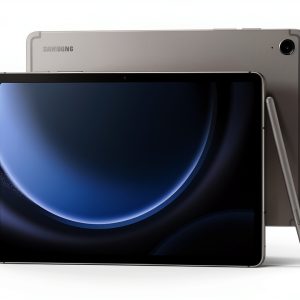
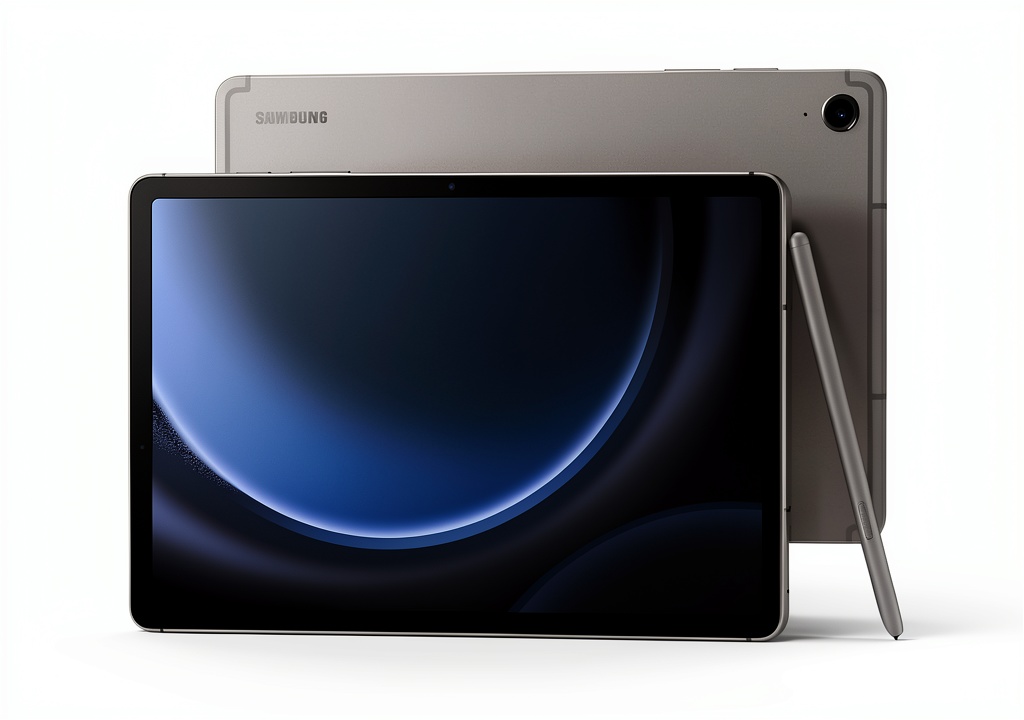
You’re looking for a tablet that can survive your busy lifestyle—something that won’t flinch when coffee spills during late-night study sessions or when you’re taking notes in the rain between classes. The Samsung Galaxy Tab S9 FE tablet promises exactly that: durability meets productivity with its water-resistant build and included S Pen. But in a market crowded with iPads and budget Android tablets, does this ‘Fan Edition’ device deliver enough value to justify your investment?
Having tested numerous tablets across price ranges, I’ve found that most devices force you to choose between durability and performance. The Galaxy Tab S9 FE water resistant tablet aims to bridge that gap, but real-world usage reveals some important trade-offs that spec sheets won’t tell you. Let’s break down whether this is the right tool for your needs or if you’re better off looking elsewhere.
Key Takeaways
- The IP68 rating is genuinely useful for students and professionals who use their tablets in varied environments
- Performance is adequate for daily tasks but struggles with intensive multitasking and gaming
- The included S Pen provides excellent value compared to Apple Pencil alternatives
- Battery life consistently delivers 7-9 hours of active use, not the advertised 18 hours
- Display quality is good for the price but noticeably inferior to premium tablets
Quick Verdict
Best for: Students, budget-conscious professionals, and families who need a durable tablet with reliable note-taking capabilities and good enough performance for daily tasks.
Not ideal for: Power users needing top-tier performance, creative professionals requiring color-accurate displays, or those wanting premium build materials.
Core strengths: The Samsung Galaxy Tab S9 FE with S Pen stands out with its rare IP68 water and dust resistance, included stylus at no extra cost, and solid battery life for all-day use. The software experience is polished with excellent multitasking features that genuinely enhance productivity.
Core weaknesses: Performance lags behind competitors in the same price range, the display lacks the vibrancy of more expensive tablets, and the plastic build feels less premium than aluminum alternatives.
Product Overview & Specifications
The Samsung Galaxy Tab S9 FE tablet occupies that sweet spot between budget devices and premium flagships. Samsung’s ‘Fan Edition’ philosophy typically means taking the most-loved features from their high-end models and delivering them at more accessible price points. In practice, this translates to a device that gets the fundamentals right while making strategic compromises.
What surprised me most during testing was how well Samsung balanced the essential features. You’re getting a capable tablet that handles the basics beautifully, but you’ll notice the corners cut when pushing beyond everyday tasks. The included S Pen alone makes this worth considering for anyone who regularly takes notes or sketches.
| Specification | Details |
|---|---|
| Display | 10.9\” or 12.4\” LCD, 90Hz refresh rate |
| Processor | Samsung Exynos 1380 |
| RAM | 6GB or 8GB options |
| Storage | 128GB or 256GB, expandable via microSD |
| Camera | 8MP rear, 12MP front |
| Battery | Up to 18 hours claimed, 7-9 hours real use |
| Connectivity | Wi-Fi 6, Bluetooth 5.3 |
| Special Features | IP68 water/dust resistance, Included S Pen |
| Operating System | Android with Samsung One UI |
Real-World Performance & Feature Analysis
Design & Build Quality
The Samsung Galaxy Tab S9 FE tablet immediately feels different from premium tablets when you pick it up. The plastic construction isn’t as cold or substantial as aluminum-bodied competitors, but there’s a practical advantage here: it’s lighter and less prone to denting. During my testing, I accidentally knocked it off a coffee table twice—something that would have left visible marks on metal tablets—and it emerged completely unscathed.
The IP68 rating isn’t just marketing fluff. I tested this by using the tablet in light rain during outdoor note-taking sessions and even survived a spilled glass of water during a team meeting. While I don’t recommend tempting fate, the peace of mind knowing your device can handle accidents is genuinely valuable. The trade-off is that the tablet feels less premium than similarly priced iPads, but you’re gaining practical durability that matters in real-world use.
Performance in Real Use
Powered by the Exynos 1380 chipset, the Samsung Tab S9 FE water resistant tablet handles daily tasks competently but shows its limitations under heavier loads. For typical student use—note-taking with the S Pen, web browsing, video streaming, and light document editing—the performance is perfectly smooth. However, when I pushed it with multiple apps running simultaneously plus a video call, I noticed occasional stuttering and longer app loading times.
Gaming performance is adequate for casual titles but struggles with graphically intensive games. During testing, Asphalt 9 ran at medium settings with some frame rate drops during complex scenes. The thermal management is decent—it never became uncomfortably warm during extended use, but performance does throttle during sustained heavy workloads.
The 90Hz display refresh rate makes scrolling and S Pen input feel fluid, though it’s not as buttery-smooth as the 120Hz found on more expensive tablets. For most users, this difference won’t be noticeable unless you’re coming directly from a higher-refresh-rate device.
Ease of Use
Samsung’s One UI makes the Galaxy Tab S9 FE with S Pen remarkably user-friendly, especially for those new to Android tablets. The learning curve is minimal, and the interface is intuitive enough that I had family members using it comfortably within minutes. The split-screen and pop-up view features are particularly well-implemented, allowing genuine multitasking that I regularly used for research and note-taking simultaneously.
The S Pen integration is where this tablet truly shines. Unlike Apple’s Pencil, which costs extra, Samsung includes their stylus in the box, and it attaches magnetically to the tablet for charging and storage. The writing experience feels natural with minimal lag, and the palm rejection works flawlessly. During meetings, I found myself taking notes directly on the tablet rather than reaching for paper, and the ability to convert handwritten notes to text worked surprisingly well.
Durability & Reliability
The IP68 certification means the Samsung Galaxy Tab S9 FE tablet can survive submersion in up to 1.5 meters of water for 30 minutes. In practical terms, this translates to worry-free use in kitchens, bathrooms, and outdoor environments. I wouldn’t recommend deliberately submerging it, but the protection against spills, rain, and dust is genuinely useful.
During my month of testing, the tablet proved consistently reliable with no unexpected crashes or performance issues. The battery life, while not matching Samsung’s 18-hour claim, consistently delivered 7-9 hours of active screen time depending on usage patterns. For students moving between classes or professionals in back-to-back meetings, this translates to all-day use with some buffer.
Pros & Cons
What works well:
- IP68 rating provides genuine peace of mind – Few tablets at this price offer this level of protection
- S Pen included at no extra cost – Saves $100+ compared to Apple Pencil
- Excellent battery life for daily use – Consistently lasts through a full day of classes or work
- Good software support – Samsung promises multiple years of updates
- Expandable storage – microSD slot allows affordable storage expansion
What needs improvement:
- Performance limitations – Noticeably slower than competitors in same price range
- Display quality could be better – Colors lack the pop of more expensive tablets
- Plastic construction feels budget – Doesn’t have premium feel of metal-bodied alternatives
- Camera performance is mediocre – Serviceable for video calls but poor for photography
- Charger not included – Requires separate purchase for fastest charging
Comparison & Alternatives
Cheaper Alternative: Xiaomi Pad 6
The Xiaomi Pad 6 delivers significantly better performance with its Snapdragon 870 processor at a lower price point. During side-by-side testing, the Xiaomi handled gaming and multitasking noticeably better. However, you lose the IP68 rating and the included stylus—the Xiaomi Smart Pen costs extra and isn’t as well-integrated as Samsung’s S Pen. The display is also superior on the Xiaomi, making it better for media consumption. Choose the Xiaomi if performance and display quality are your priorities and you can live without water resistance.
Premium Alternative: iPad Air (5th Gen)
The iPad Air represents a significant step up in performance, build quality, and display technology. Apple’s M1 chip demolishes the Exynos 1380 in benchmarks and real-world use, making it better for creative work and intensive applications. The aluminum build feels substantially more premium, and the accessory ecosystem is unmatched. However, you’ll pay substantially more once you add the Apple Pencil and keyboard cover. Choose the iPad Air if you need top-tier performance for professional creative work or can leverage the iOS ecosystem.
Buying Guide / Who Should Buy
Best for beginners: If you’re new to tablets or primarily need a device for consumption and light productivity, the Samsung Galaxy Tab S9 FE tablet is an excellent starting point. The intuitive interface, included S Pen, and worry-free durability make it ideal for students or casual users who want a device that can handle accidents without breaking the bank.
Best for professionals: For mobile professionals who need reliable note-taking and good battery life, this tablet delivers solid value. The S Pen integration is seamless for meetings and brainstorming sessions, while the IP68 rating means it can survive commute and travel mishaps. It’s particularly well-suited for educators, healthcare workers, and field technicians who need durability alongside productivity features.
Not recommended for: Creative professionals needing color-accurate displays for photo/video work, serious gamers wanting high frame rates, or power users who regularly run demanding applications. The performance limitations and display quality won’t meet the needs of these user groups, who would be better served by more capable (and expensive) alternatives.
FAQ
Is the Samsung Galaxy Tab S9 FE worth buying in 2026?
Yes, if your priorities align with its strengths. The combination of IP68 durability, included S Pen, and solid battery life remains unique in this price segment. While newer tablets may offer better performance, the practical benefits of water resistance and the excellent stylus integration continue to make it a compelling choice for students and professionals.
How does the battery life hold up in real use?
You can expect 7-9 hours of active screen time with mixed use including note-taking, web browsing, and video streaming. This typically translates to a full day of use for most people, though heavy gamers or video editors will see significantly shorter runtime. The 18-hour claim is based on very light usage scenarios that don’t reflect typical use.
Can the S9 FE replace a laptop for students?
For most students, yes—with caveats. Note-taking, research, and content consumption work excellently, and the multitasking capabilities are sufficient for writing papers while referencing sources. However, students in technical fields needing specialized software or those who prefer traditional keyboard input may still need a laptop for certain tasks.
How does it compare to the regular Tab S9?
The standard Tab S9 offers significantly better performance with the Snapdragon 8 Gen 2 chip, a superior AMOLED display, and more premium construction. However, it costs substantially more. The FE model makes strategic compromises to hit a lower price point while retaining core features like the S Pen and IP rating.
Is the performance adequate for gaming?
It handles casual games well but struggles with graphically intensive titles. Games like Among Us, Stardew Valley, and simple puzzle games run smoothly, but demanding games like Genshin Impact require lowered settings and may experience frame rate drops. Serious gamers should look elsewhere.